Growing a new Instagram profile can be difficult if you rely only on organic posting. One of the fastest ways to build initial traction is by running Meta ads that send traffic directly to your Instagram profile.
In this guide, we’ll show you step by step how to use an agency ad account to run Instagram-focused campaigns.
Step 1: Prepare Your Facebook Profile
Meta ads must be managed through a personal Facebook profile.
Your personal profile is used only as the admin identity to access Business Manager and Ads Manager. It does not mean your personal profile will appear in the ads.
Before connecting to an agency ad account, we recommend using a real and active Facebook profile. A brand-new or empty profile may trigger additional security checks.
Step 2: Prepare Your Facebook Page
To run ads on Meta, you need a Facebook Page.
Your Page does not need to be very active, but it should look legitimate. We recommend adding:
Profile picture
Cover image
Basic business information
Website or contact details if available
Your Facebook Page will be connected to your Instagram profile.
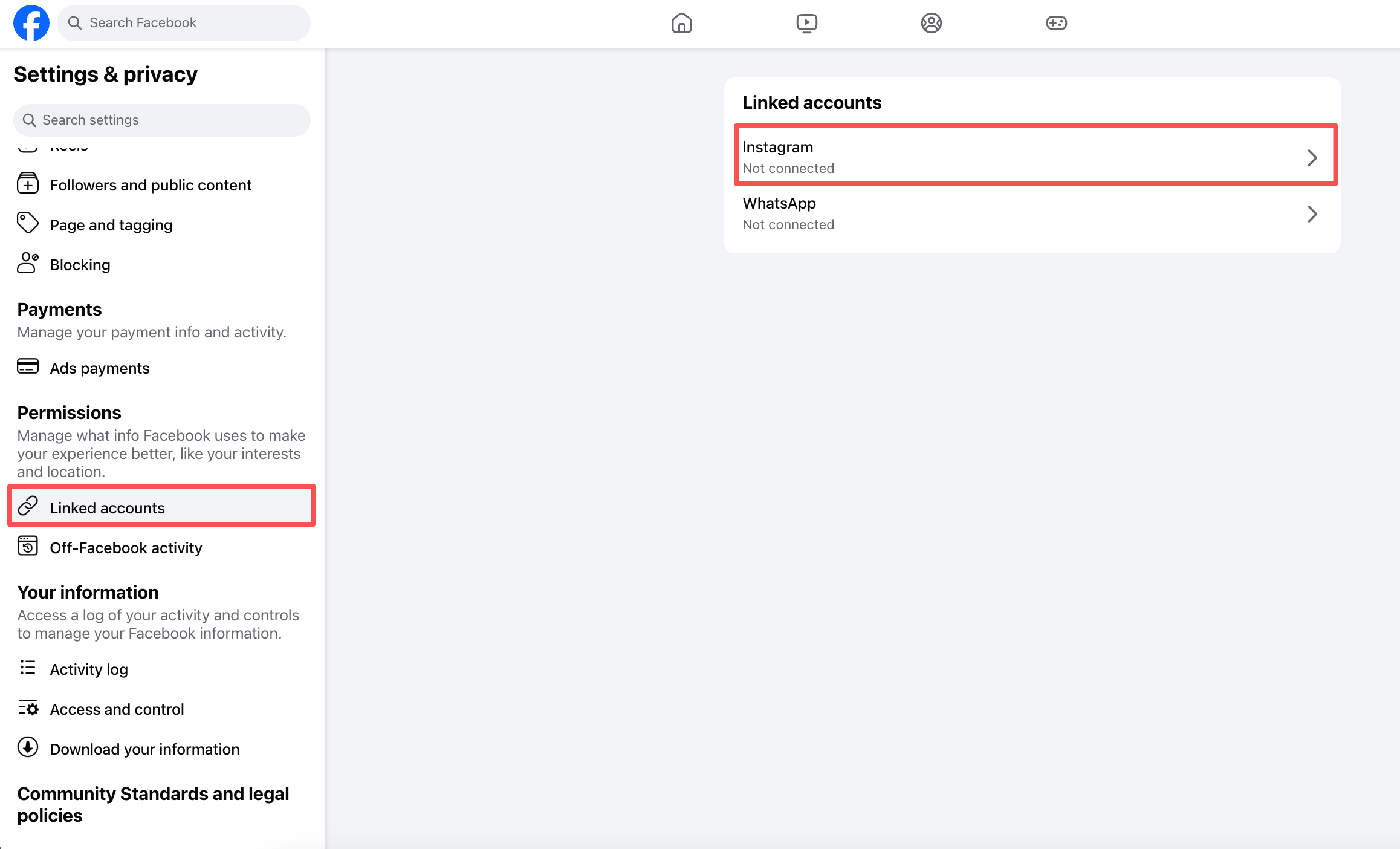
Step 3: Connect Your Instagram Profile to Your Facebook Page
Go to your Facebook Page settings and connect your Instagram account.
This allows you to run ads using your Instagram identity and direct users to your Instagram profile.
Once connected, your Instagram profile can be used inside Ads Manager when creating ads.
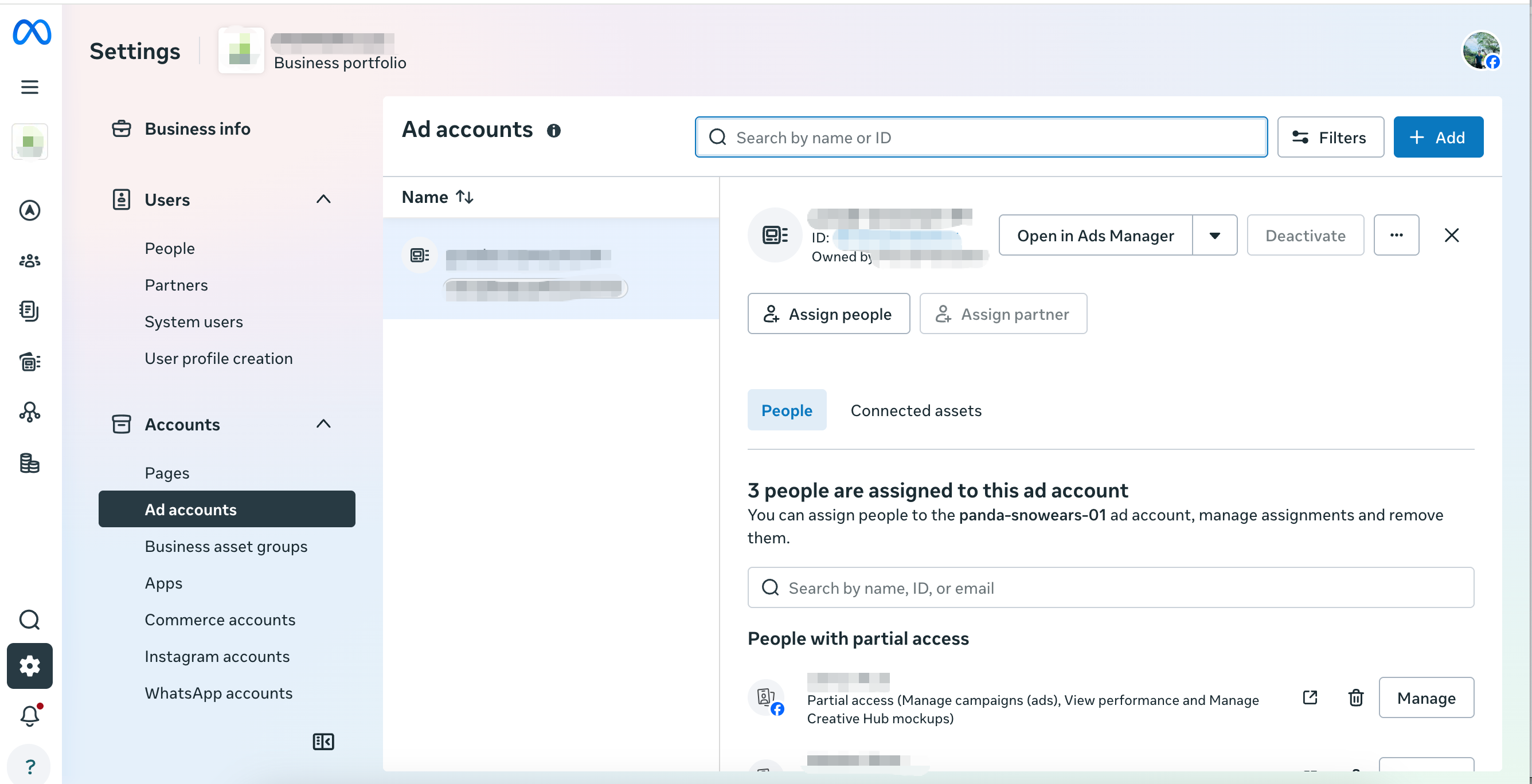
Step 4: Get Access to the Agency Ad Account
After your application is approved, the agency ad account will be assigned directly to your existing Business Manager if you already have one.
If you do not have a Business Manager yet, we will guide you through the setup process and send you the required access invitations.
Once connected, you will be able to manage campaigns inside the agency ad account through your own Business Manager environment.
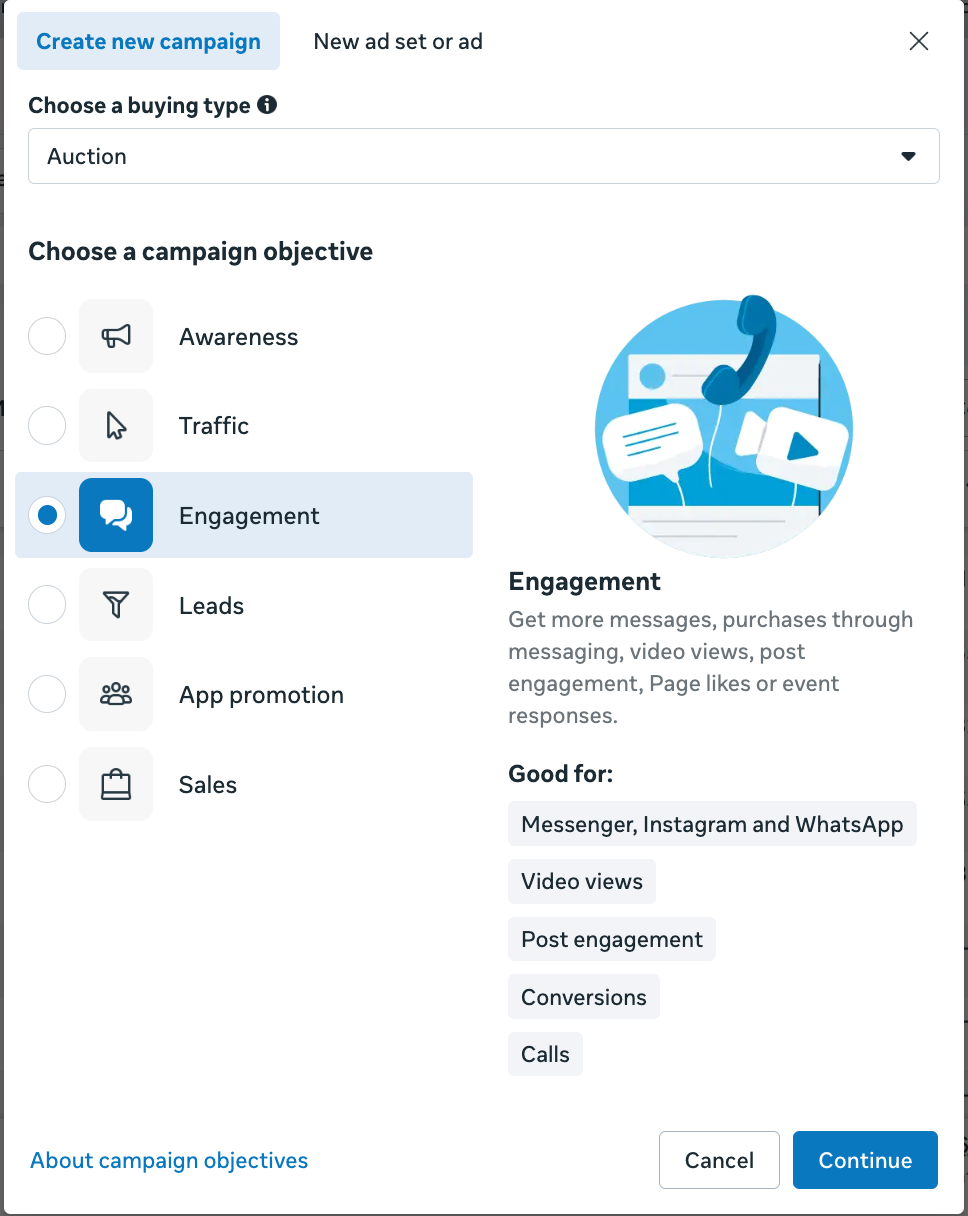
Step 5: Choose the Right Campaign Objective
For Instagram profile growth, the most common campaign objective is usually traffic or engagement.
Depending on your goal, you may choose:
Traffic: Send users to your Instagram profile or link destination.
Engagement: Increase interactions with your Instagram content.
Awareness: Reach more people and build visibility.
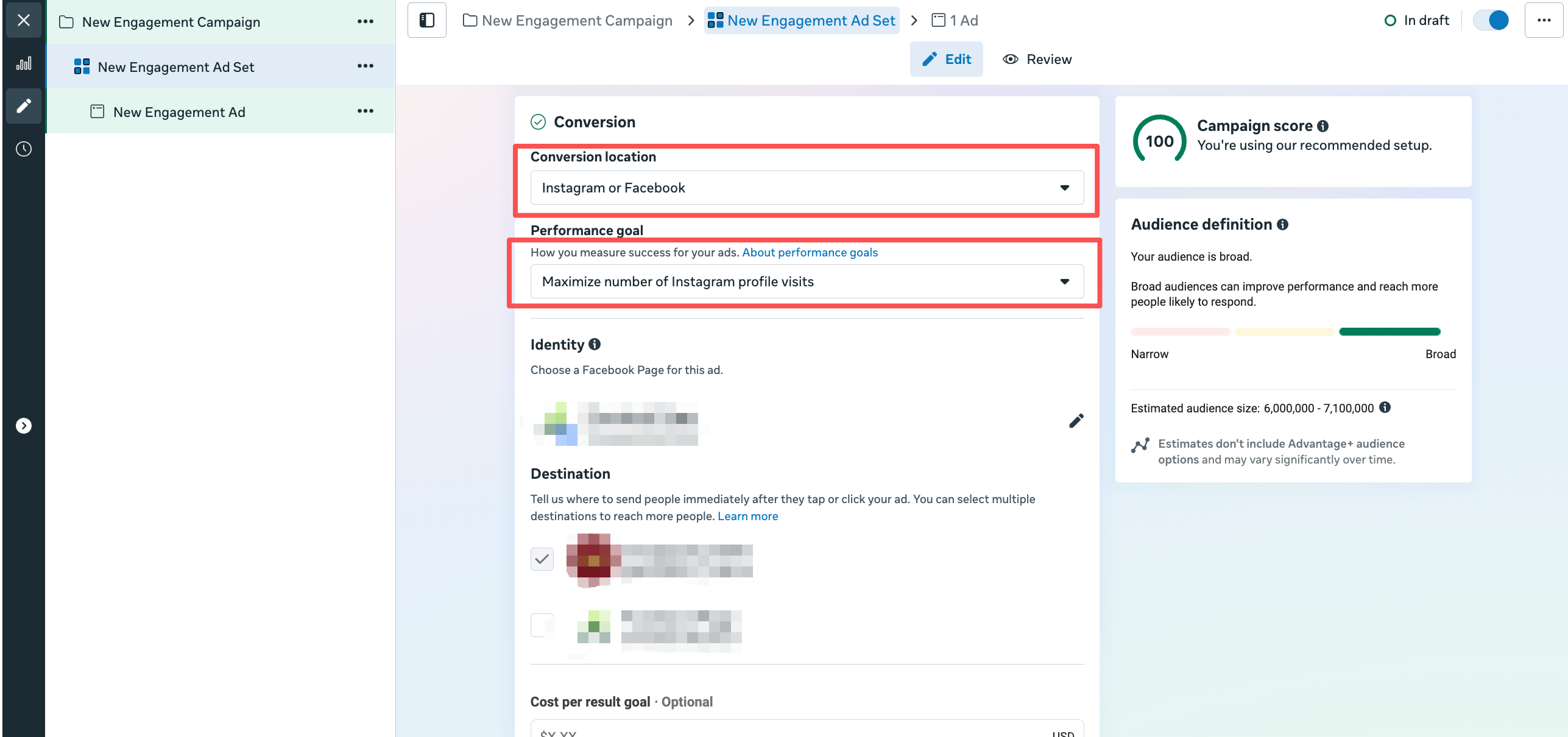
If your main goal is to grow followers, sending traffic to your Instagram profile is usually the best starting point.
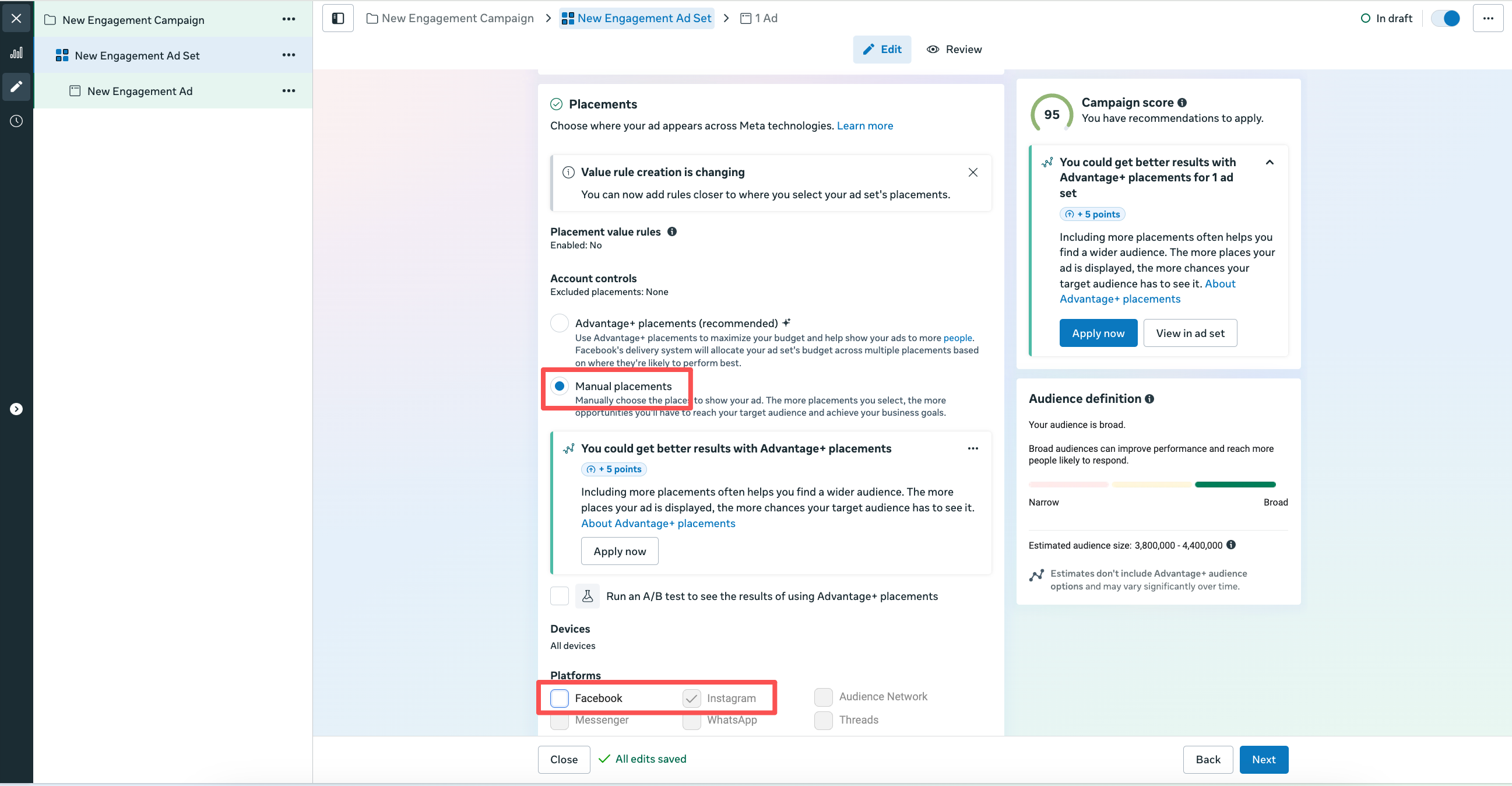
Step 6: Select Instagram as the Main Placement
When setting up the campaign, choose placements where Instagram users are most active.
Common placements include:
Instagram Feed
Instagram Stories
Instagram Reels
Instagram Explore
For creator pages, lifestyle brands, giveaways, and visual products, Instagram Reels and Stories often perform well.
Step 7: Create a Compliant Ad Creative
Your ad creative should be simple, clear, and compliant with Meta policies.
Avoid using content that is misleading, overly aggressive, explicit, or policy-sensitive.
Good creative ideas include:
Giveaway announcement
Brand introduction
Product showcase
Lifestyle video
Creator introduction
“Follow us for updates” style content
The goal is to give users a clear reason to visit your Instagram profile.
Step 8: Send Traffic to Your Instagram Profile
At the ad level, choose your Instagram profile as the destination if available.
The flow will look like this:
Meta Ad → Instagram Profile → Follow / Message / Link in Bio
This setup is commonly used when the goal is to build followers, increase engagement, or use Instagram as the first step of the funnel.
Step 9: Start With a Small Test Budget
Do not start with a very large budget immediately.
We recommend testing first with a smaller daily budget to understand:
Which creative performs best
Which audience responds better
Which placement brings better profile visits
Whether the campaign receives any policy warnings
Once the campaign is stable, you can gradually increase the budget.
Step 10: Optimize Based on Results
After the campaign runs for a few days, review the results inside Ads Manager.
Important metrics include:
Cost per profile visit
Engagement rate
Follower growth
Click-through rate
Cost per result
Ad rejection or policy issues
Keep the best-performing creatives and pause weak ones.
Final Thoughts
Using an agency ad account to drive traffic to an Instagram profile can be a powerful way to grow faster and create a more stable advertising setup.
This strategy is especially useful for:
New Instagram accounts
Creator profiles
Giveaway campaigns
E-commerce brands
Local businesses
Service providers
However, campaign quality and compliance are still very important. A stable ad account helps with scaling, but your creatives, funnel, and landing experience must still follow Meta’s advertising policies.
At PixelSync, we provide agency ad account infrastructure for advertisers who want a more stable way to run and scale campaigns on Meta platforms.