If you've recently received a notification saying your Facebook Ad Account, Personal Profile, or Business Manager has been restricted, you're not alone.
Every day, thousands of advertisers experience account restrictions ranging from temporary advertising access limitations to permanent account disablements.
In recent years, Meta has significantly increased its use of automated review systems and AI-driven risk detection to combat policy violations, fraudulent activity, account abuse, and advertisers attempting to bypass platform rules.
While these systems help protect the platform, they are not perfect. As a result, legitimate businesses promoting compliant products and services can occasionally find themselves caught in automated reviews or account restrictions.
The challenge is that Meta rarely provides detailed explanations, leaving business owners unsure whether the restriction was caused by a genuine policy issue, a risk signal within their account infrastructure, or simply an automated enforcement decision.
In this guide, we'll explain:
The difference between Ad Account, Personal Profile, and Business Manager restrictions
The most common causes of restrictions
Which restrictions can realistically be recovered
When it makes sense to rebuild your setup
When an Agency Ad Account may be a practical alternative
Understanding The Different Types of Meta Restrictions
One of the biggest mistakes advertisers make is treating all restrictions as the same issue.
In reality, there are three different levels of restrictions.
1. Personal Profile Restricted
This is the most serious type of restriction.
You may see messages such as:
Your Advertising Access Is Restricted
Account Restricted
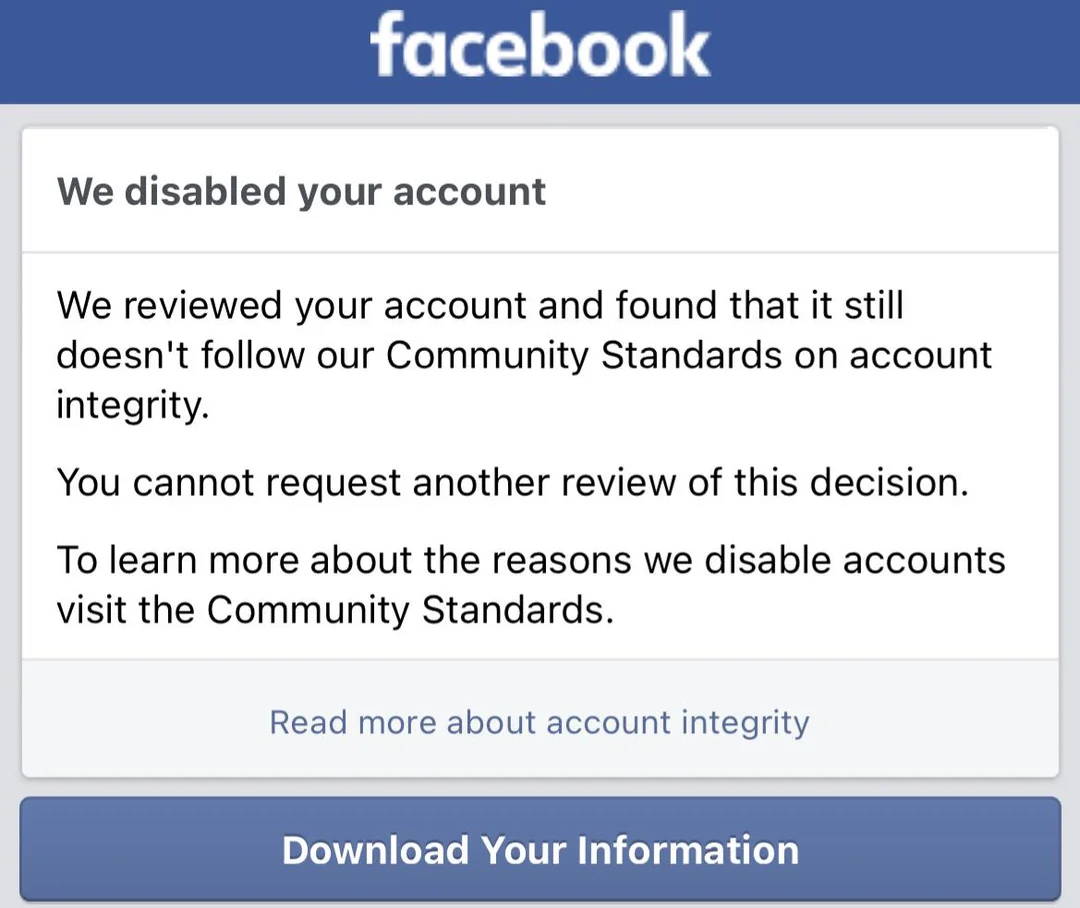
When your personal profile is restricted:
You may lose access to create ad accounts
You may lose access to manage Business Managers
You may lose access to Pages and Pixels
New accounts created under the same setup may be flagged more quickly
Common Causes:
Repeated policy violations
Suspicious account activity
Identity verification issues
Security-related concerns
Recovery Chances
Restriction TypeRecovery ProbabilityTemporary RestrictionModerateIdentity Verification IssueHighPermanent Advertising RestrictionLow
2. Facebook Ad Account Disabled
This is the most common restriction advertisers encounter.
You may see:
Ad Account Disabled
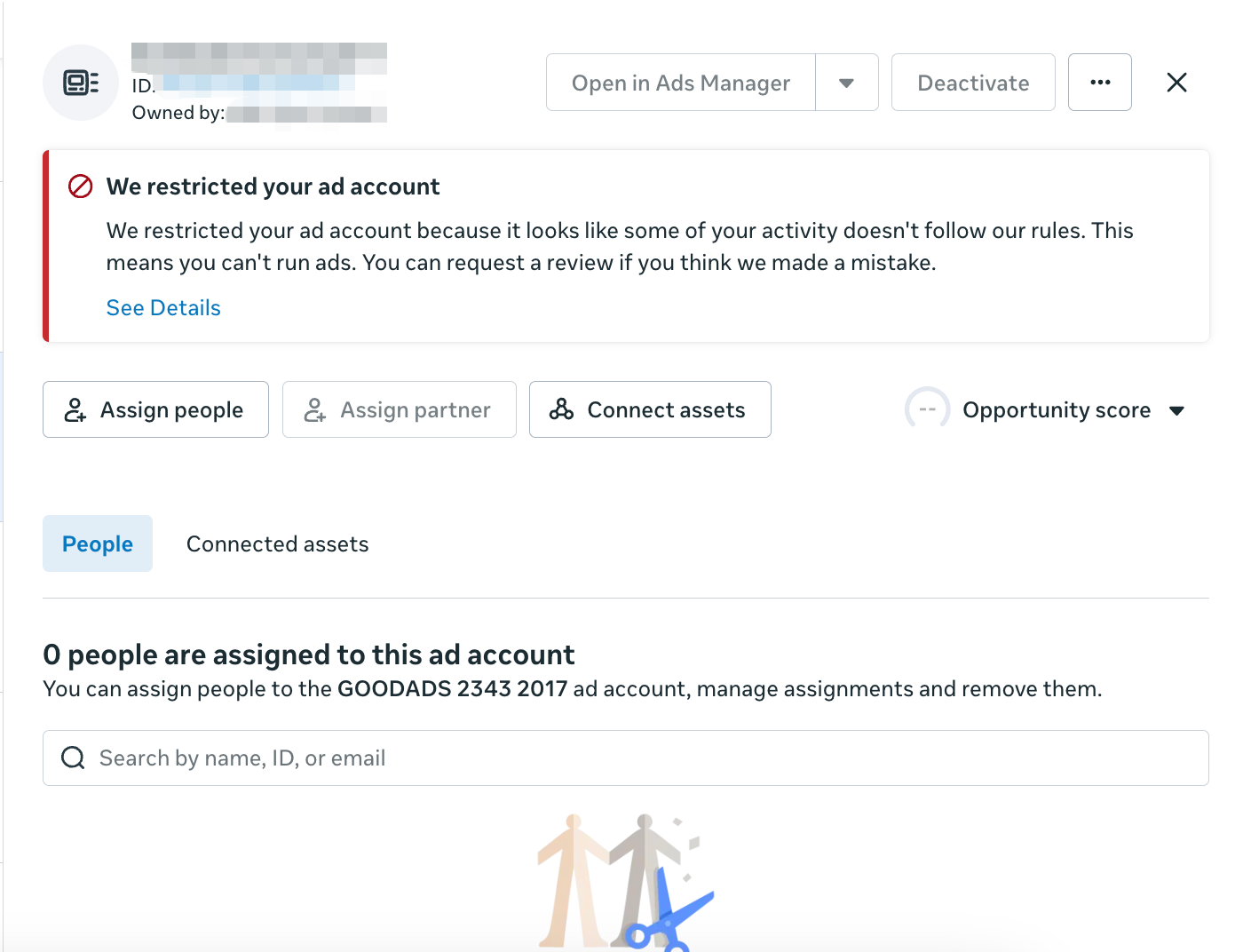
When this happens:
Existing campaigns stop immediately
Billing may remain accessible
Business Manager and Personal Profile may still be active
Common Causes
Landing page violations
Misleading claims
Rejected ads accumulating over time
Unusual spending patterns
Payment issues
Recovery Chances
SituationRecovery ProbabilityFalse PositiveHighPayment Related IssueHighRepeated Policy ViolationsLowPermanent DisablementLow
3. Business Manager Restricted
Business Manager restrictions affect the entire business infrastructure.
You may see:
Business Manager Restricted
Business Verification Required
When restricted:
New ad accounts may not be created
Asset sharing may be limited
Team access may be affected
Common Causes
Business verification problems
Repeated issues across multiple assets
Payment-related concerns
Security concerns
Recovery Chances
Typically moderate, depending on the reason.
Why Meta Doesn't Always Tell You The Real Reason
Many advertisers expect Meta support to provide a clear explanation.
In reality, Meta's systems are largely automated.
A restriction may be triggered by a combination of:
Profile trust signals
Device history
Business history
Payment history
Advertising behavior
Policy compliance concerns
This is why many advertisers receive generic responses such as:
We found unusual activity.
or
Your account didn't comply with our Advertising Policies.
Without further detail.
Should You Keep Appealing?
The short answer is: it depends, but advertisers should set realistic expectations.
Many advertisers assume that submitting additional appeals or speaking with Meta support will eventually lead to a detailed explanation or account recovery.
In reality, this is often not the case.
Meta's review process is heavily automated, and support representatives frequently have limited visibility into the specific factors that triggered a restriction. As a result, advertisers often receive generic responses such as:
"Your account violated our Advertising Policies."
or
"After review, we have confirmed our original decision."
without any meaningful explanation of what actually caused the restriction.
We've seen many cases where advertisers spend weeks or even months repeatedly appealing the same decision, only to receive identical responses each time.
Continue Appealing If:
The restriction occurred recently
Identity verification has not been completed
The account has significant historical spend and a strong compliance record
There is evidence that the restriction may be a false positive
Set Expectations Carefully If:
Multiple appeals have already been rejected
Meta has repeatedly upheld the same decision
Support representatives are unable to provide specific guidance
The restriction has remained unresolved for several weeks
At that point, the question is no longer whether the account can be recovered.
The more important question becomes:
How much time, revenue, and operational disruption can your business afford while waiting?
For businesses that rely heavily on paid advertising, the cost of downtime often exceeds the value of continuing endless appeals.
Should You Create A New Facebook Account?
Many advertisers attempt to solve restrictions by creating new accounts.
Unfortunately, this often leads to the same outcome.
Meta evaluates more than just the account itself.
Factors may include:
Browser environment
Device history
Payment methods
Business assets
Connected profiles
Historical account behavior
Simply creating another account without addressing the underlying setup may result in repeated restrictions.
What Is An Agency Ad Account?
An Agency Ad Account is a business-managed advertising account provided through an authorized advertising infrastructure.
Instead of relying entirely on a self-managed setup, advertisers gain access to an account managed under an agency's infrastructure.
Potential Benefits
Faster account provisioning
More established account infrastructure
Higher spending capacity
Dedicated account support
Simplified account replacement when necessary
Important Note
An Agency Ad Account is not a way to bypass Meta policies.
Any advertiser running prohibited content or violating Meta's policies can still face restrictions.
When Does An Agency Ad Account Make Sense?
An Agency Ad Account may be worth considering if:
✅ You already have experience running Meta Ads
✅ Your business relies heavily on paid traffic
✅ Multiple account restrictions have disrupted operations
✅ You need a more scalable advertising infrastructure
It may not be necessary if:
❌ You're just starting out
❌ Your restrictions are easily recoverable
Final Thoughts
Not every restriction requires an Agency Ad Account.
In many cases, a successful appeal, identity verification, or compliance adjustment may be enough to restore access.
However, advertisers should also recognize that repeated restrictions are often a symptom of a larger issue rather than a single account problem.
As Meta continues to strengthen its automated review systems and risk controls, relying entirely on a single personal profile, Business Manager, or ad account can create significant operational risk for growing businesses.
The key is not simply recovering a restricted account.
The real question is whether your advertising infrastructure is built to support long-term growth and withstand inevitable disruptions.
For businesses that depend heavily on Meta advertising, a more resilient setup may include:
Proper separation of business assets
Backup administrative access
Clear Business Manager structure
Shared asset permissions
Access to agency-grade advertising infrastructure
An Agency Ad Account is not a guarantee against restrictions, nor is it a shortcut around Meta's policies.
However, when implemented correctly, it can provide a more stable operational framework, reduce downtime caused by account disruptions, and help businesses continue scaling without relying entirely on a single account or profile.
Ultimately, the goal should not be to recover one restricted account.
The goal should be to build an advertising infrastructure that allows your business to continue growing even when challenges arise.
Need Help Evaluating Your Situation?
Not sure whether you should:
Continue appealing?
Rebuild your setup?
Use an Agency Ad Account?
The PixelSync team can help review your situation and provide guidance based on your business goals and advertising requirements.
What We Help With
✅ Meta Advertising Infrastructure
✅ Agency Ad Accounts
✅ Account Setup & Scaling Guidance
✅ Business Advertising Support
👉 Contact PixelSync